dischargeRx turns the papers from your care team into a plan for each day, with a reminder at every step. The family helping you can see how the day is going without calling to ask.
Photograph your discharge papers, or start from one of 38 recovery templates. You check every step before anything is scheduled.
Follow the day
Each step reminds you when it’s due and shows its instructions. The Today screen shows what’s next and nothing else.
Let family help
Invite someone with a code. You choose what each person can see or do, and you can pause anyone at any time.
One day with dischargeRx
Robert had his knee replaced on Thursday. His daughter Sarah lives twenty minutes away.
Friday 6:40 pm
The papers come home in a folder.You read the folder twice.
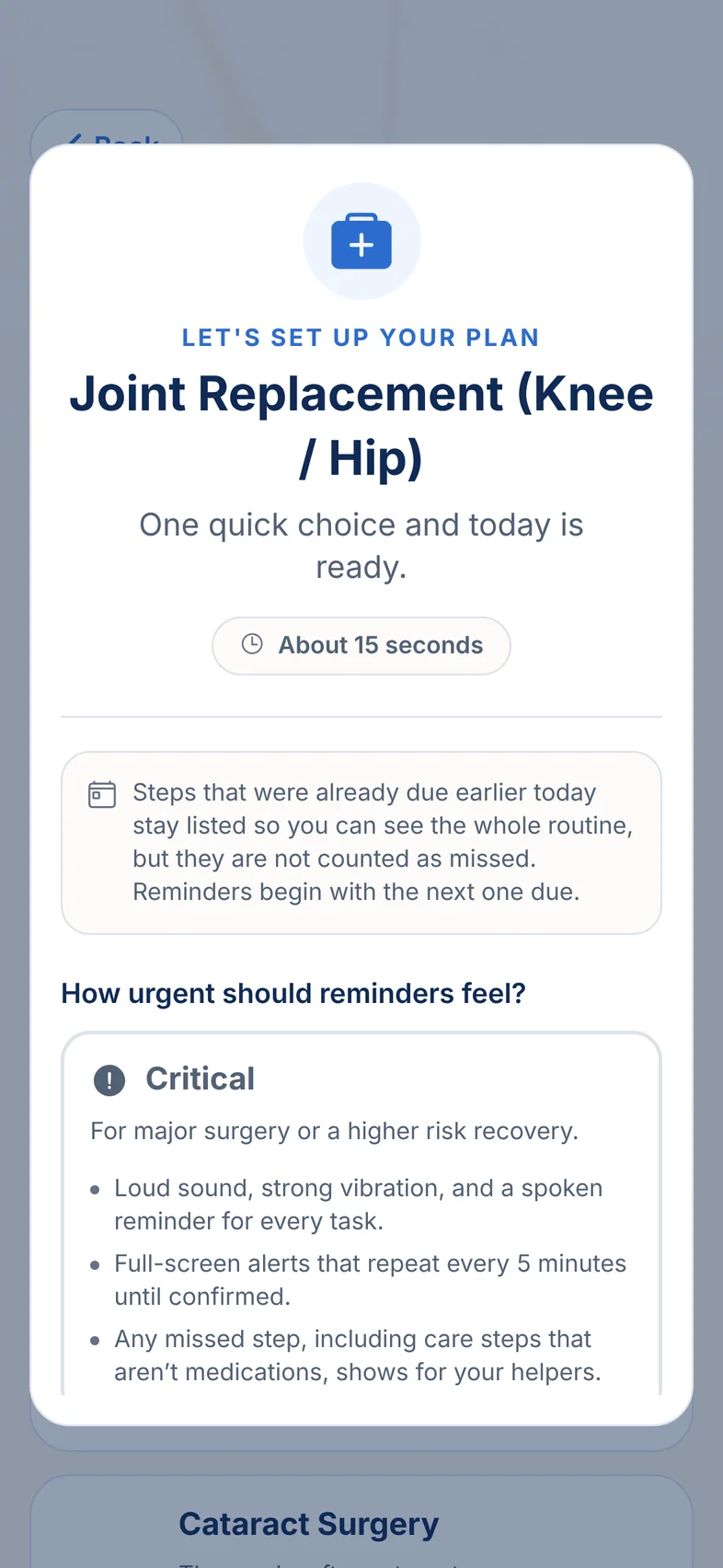
Medicines at different times, a dressing to check, exercises, a follow-up date somewhere on page three. That evening Robert and Sarah open dischargeRx and choose the template for a knee or hip replacement. It asks one thing first: how insistent the reminders should be.
Medicines at different times, a dressing to check, exercises, a follow-up date somewhere on page three. You’re back at work on Monday, so you sit down with him, open dischargeRx on his phone and choose the template for a knee or hip replacement. It asks one thing first: how insistent the reminders should be.
There are 38 recovery templates. You can also photograph the papers and have dischargeRx draft the plan from them, which needs an account and an internet connection. The first document is free.
7:15
Saturday 7:40 am
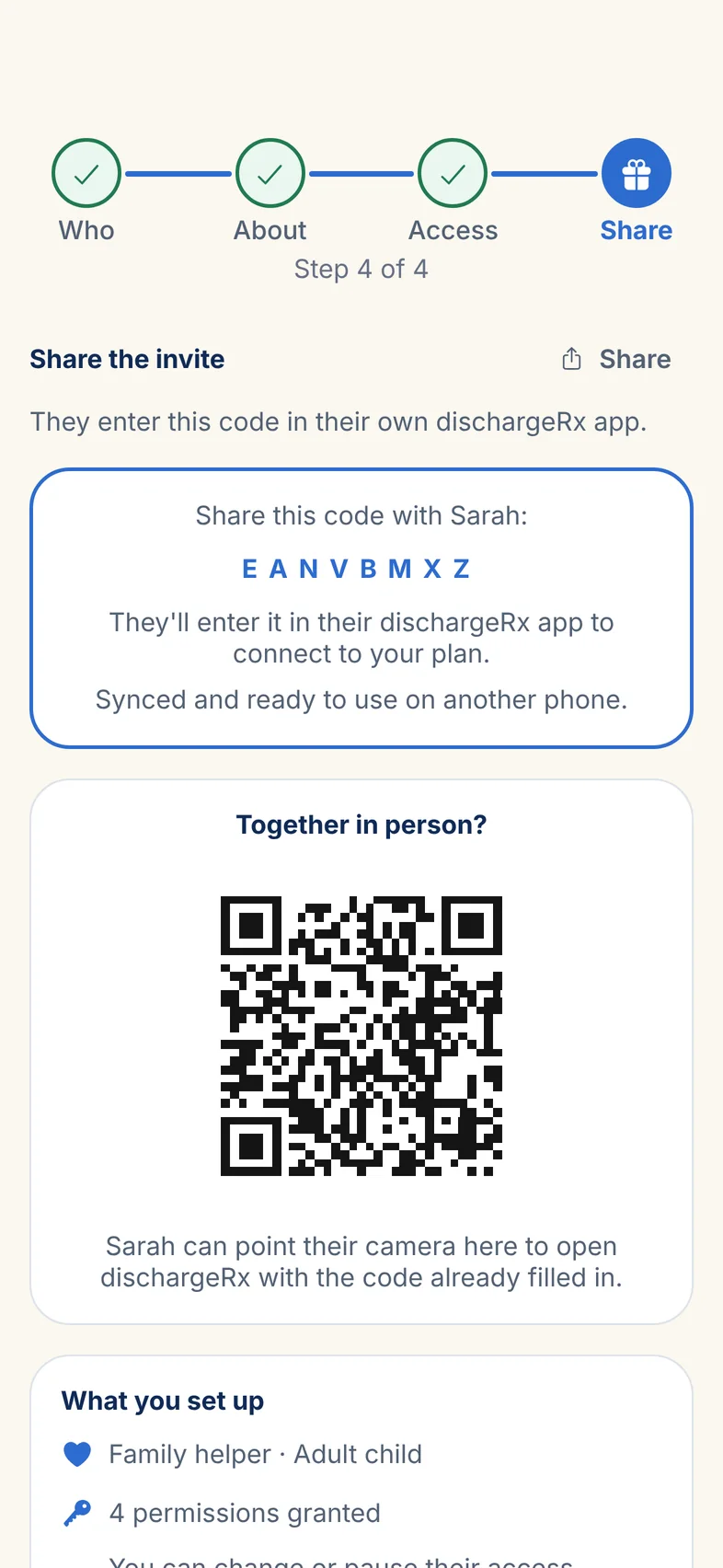
Nothing reminds him until he says the plan is right.He sends you a code.
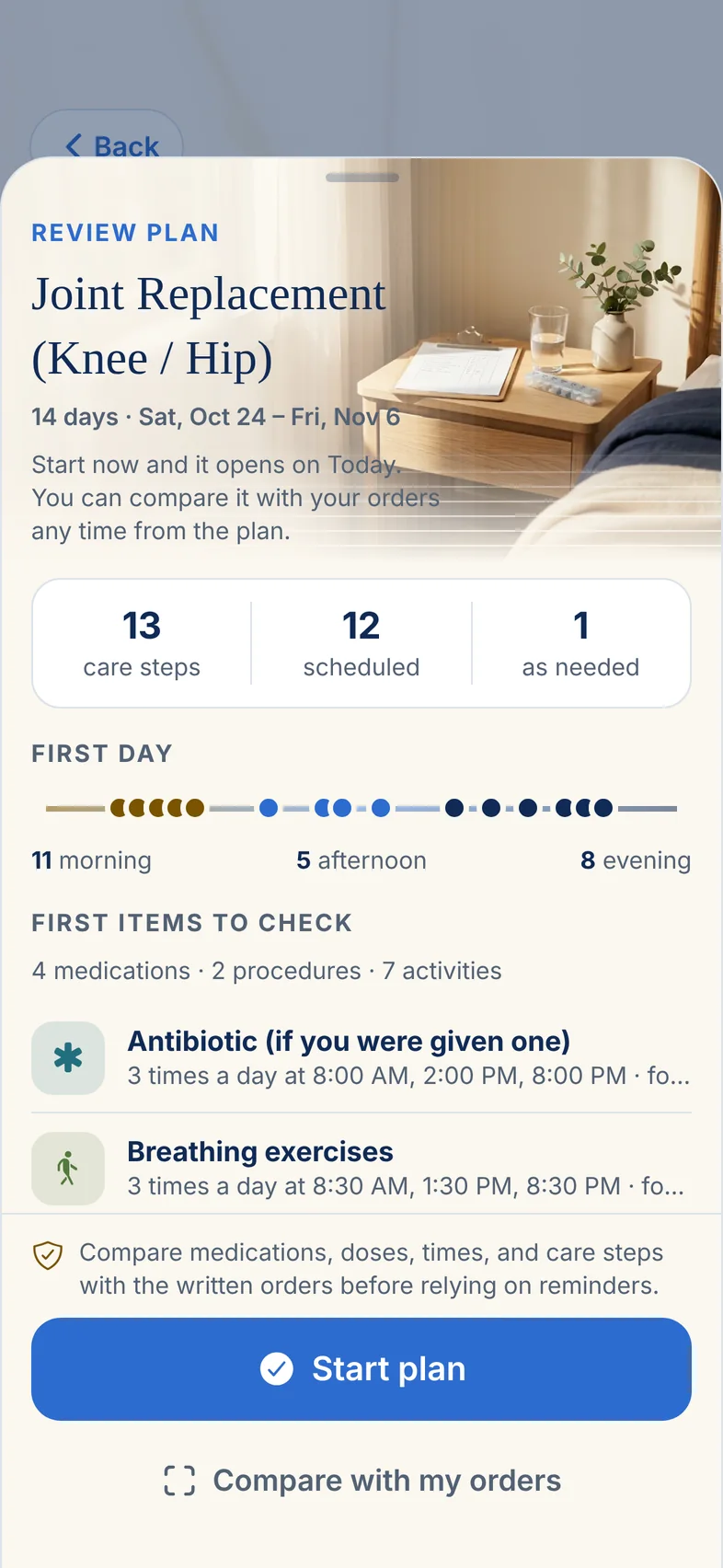
The draft lists every step for his first two weeks: 13 of them, from the antibiotic to the breathing exercises. Robert checks each one against the papers and fixes anything that’s off. Reminders start only when he presses Start plan.
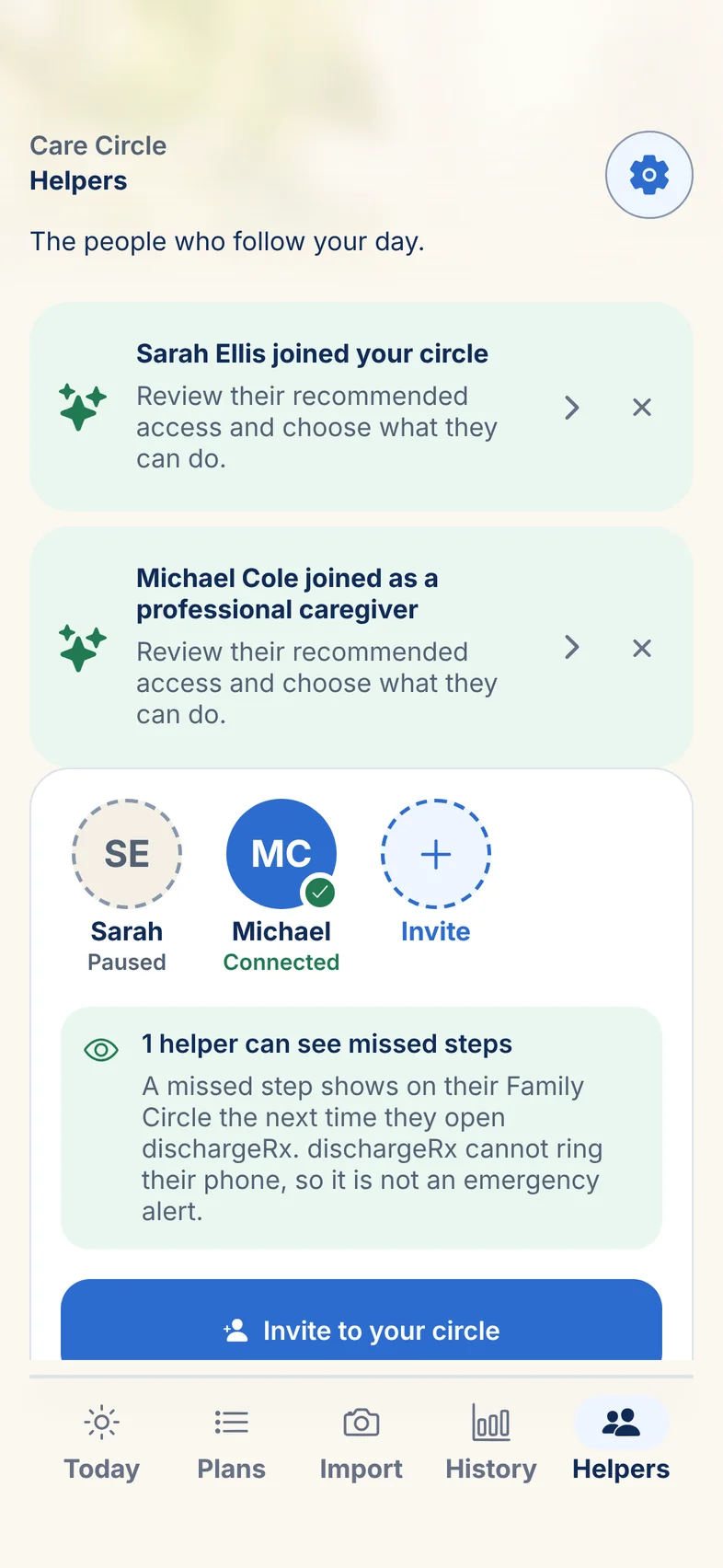
Robert invites you from his phone and decides what you can see: his plan, a missed step, a daily summary. He can also let you mark a step done when you’re there in person. You enter the code in dischargeRx on your own phone.
Templates never name a drug or a dose. Every medicine reads “As prescribed” until you enter what your own label says.
Joining is free, and Robert can change what you see, or pause you, from his Helpers screen at any time.
7:52
Saturday 8:00 am
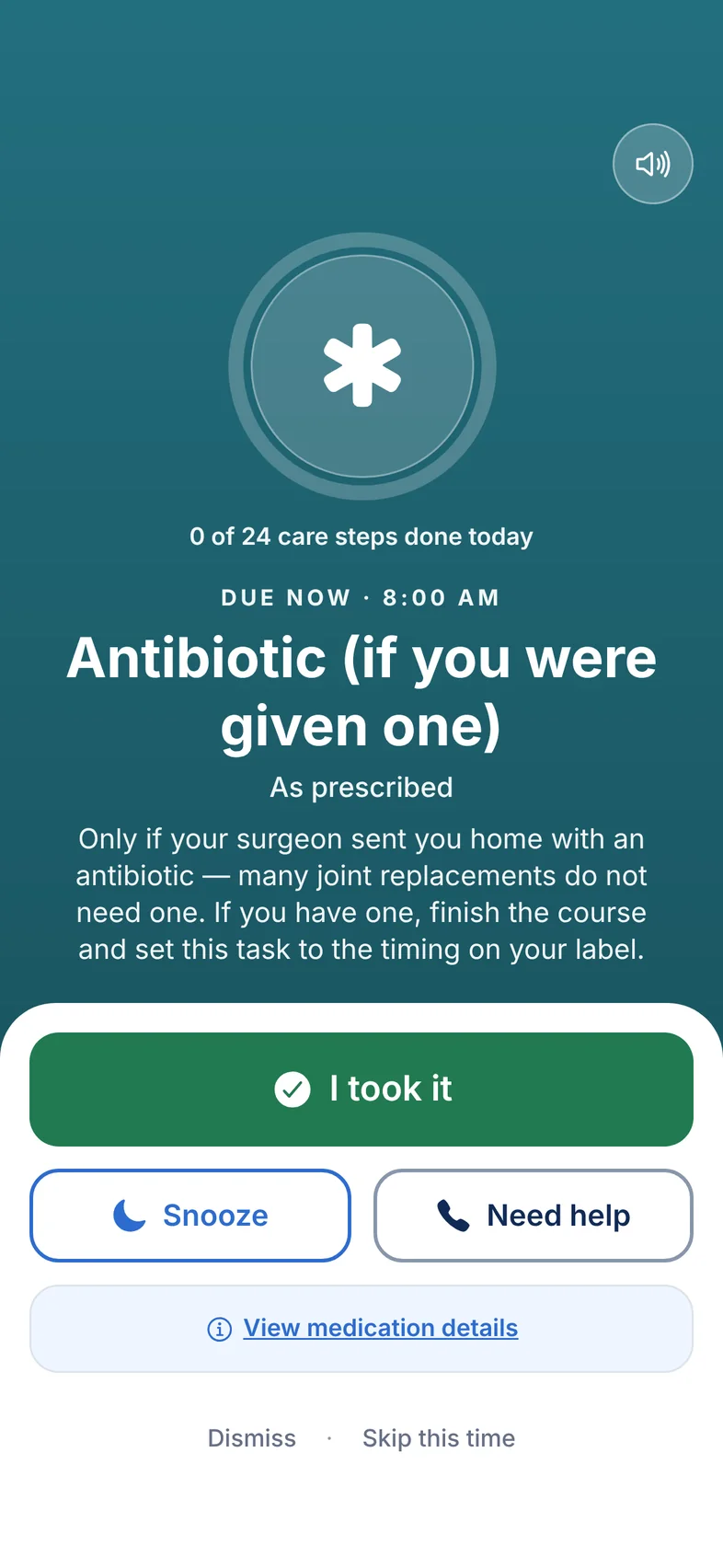
The first reminder tells him what to do.It rings on his phone, not yours.
It fills the screen with the step and the instructions that came with it. Then three buttons: I took it, Snooze, and Need help, which calls a person he has saved.
The reminder names the step and shows its instructions. If Robert taps Need help, it calls a person he has saved. That might be you, so it’s worth agreeing who it should be.
How loud a reminder can be depends on the phone’s own settings, like silent mode and Focus. dischargeRx checks what the phone will actually do and tells you when something needs changing.
8:00
Saturday 8:30 am
Most of the plan isn’t pills.
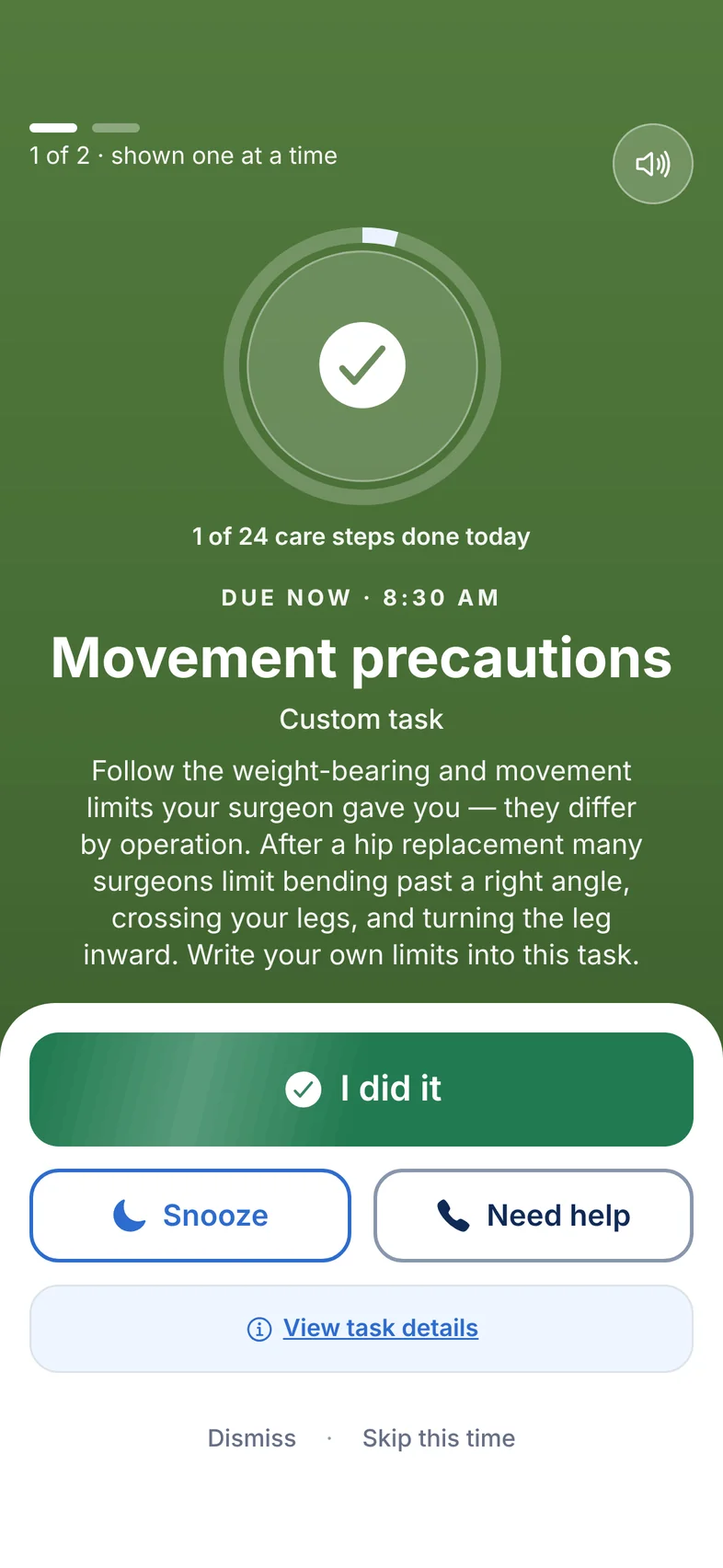
Movement limits, the dressing check, the ice pack, the walk, the exercises. Each one gets its own reminder at its own time, with the instructions written out, from the same plan as the medicines.
Movement limits, the dressing check, the ice pack, the walk, the exercises. Each one gets its own reminder at its own time, so the plan isn’t only in your head, or only on the counter.
8:30
Saturday 10:42 am
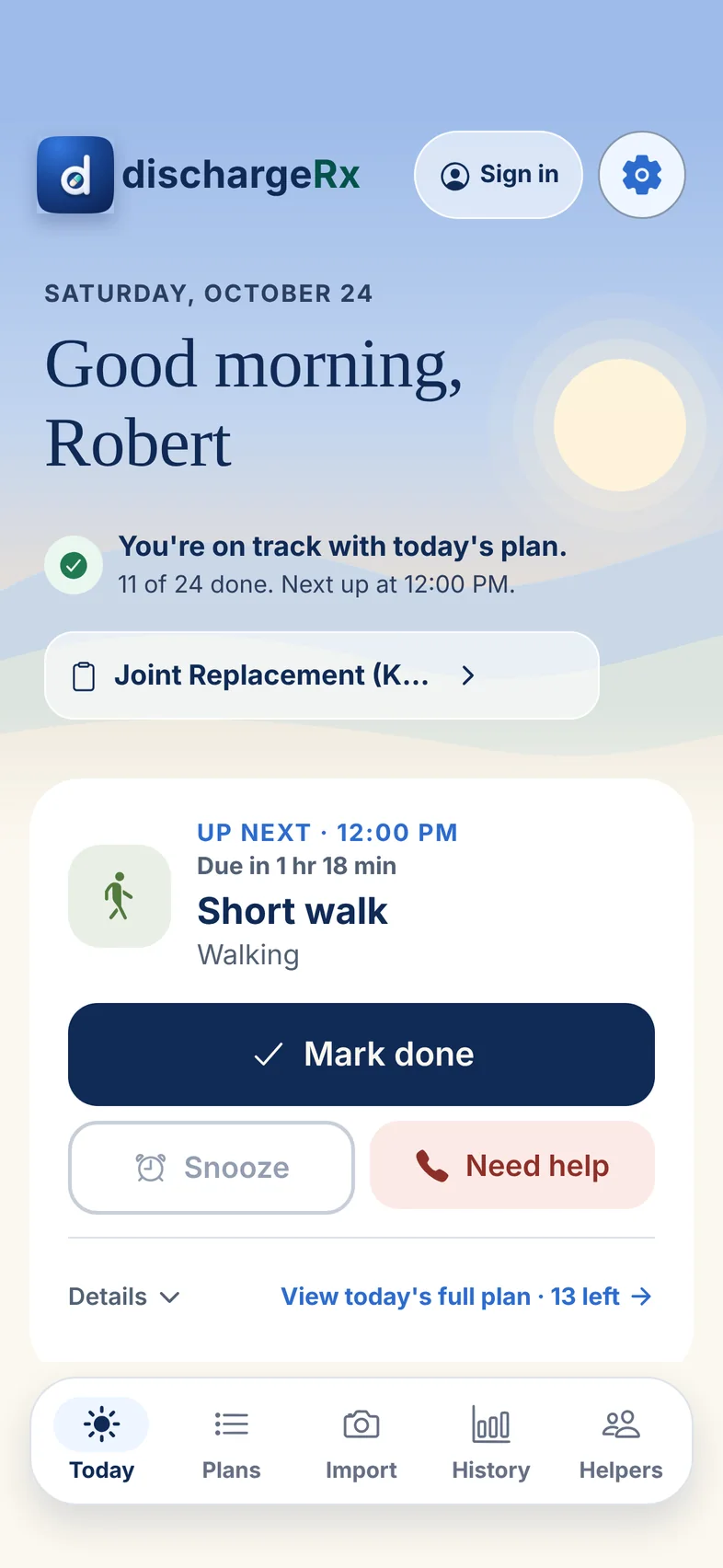
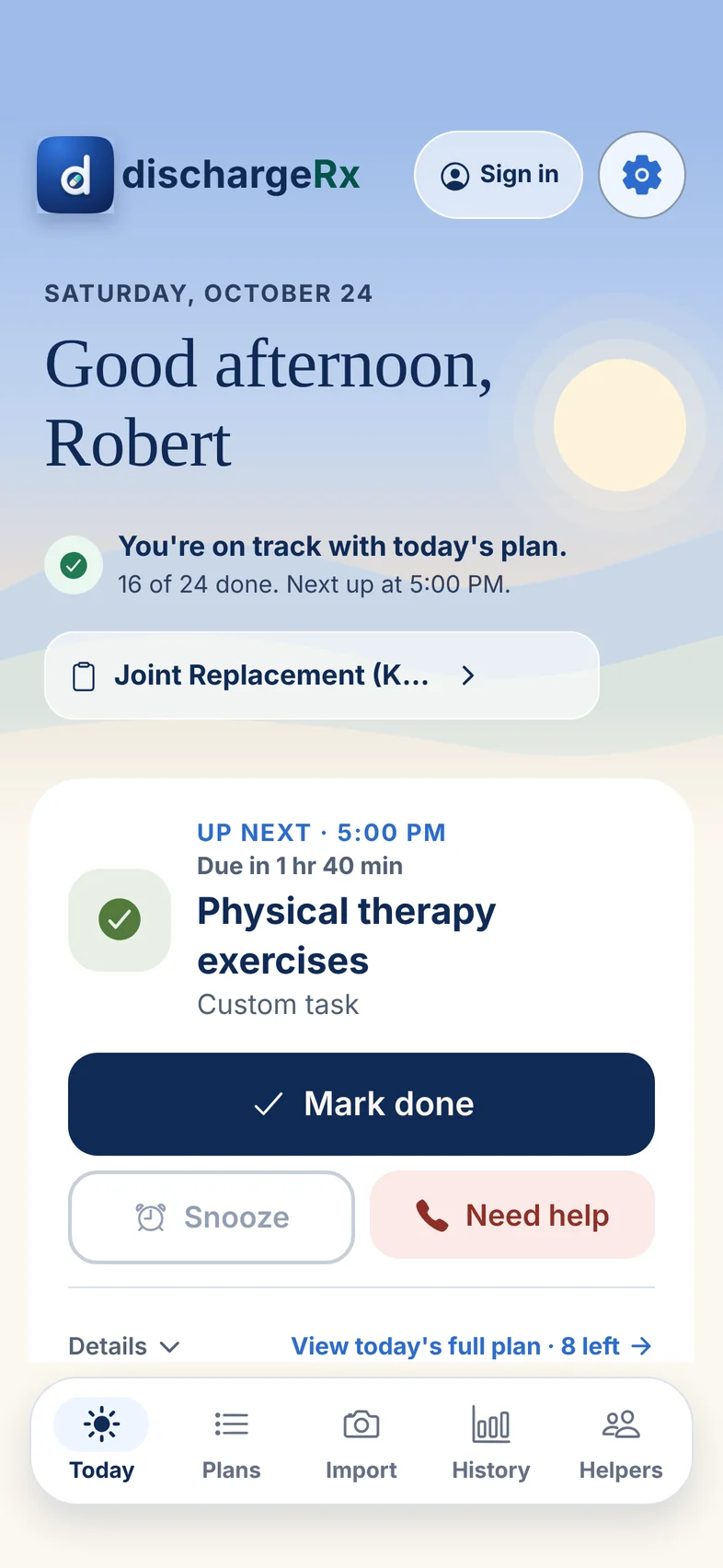
Up next: a short walk at noon.He knows what’s next without asking you.
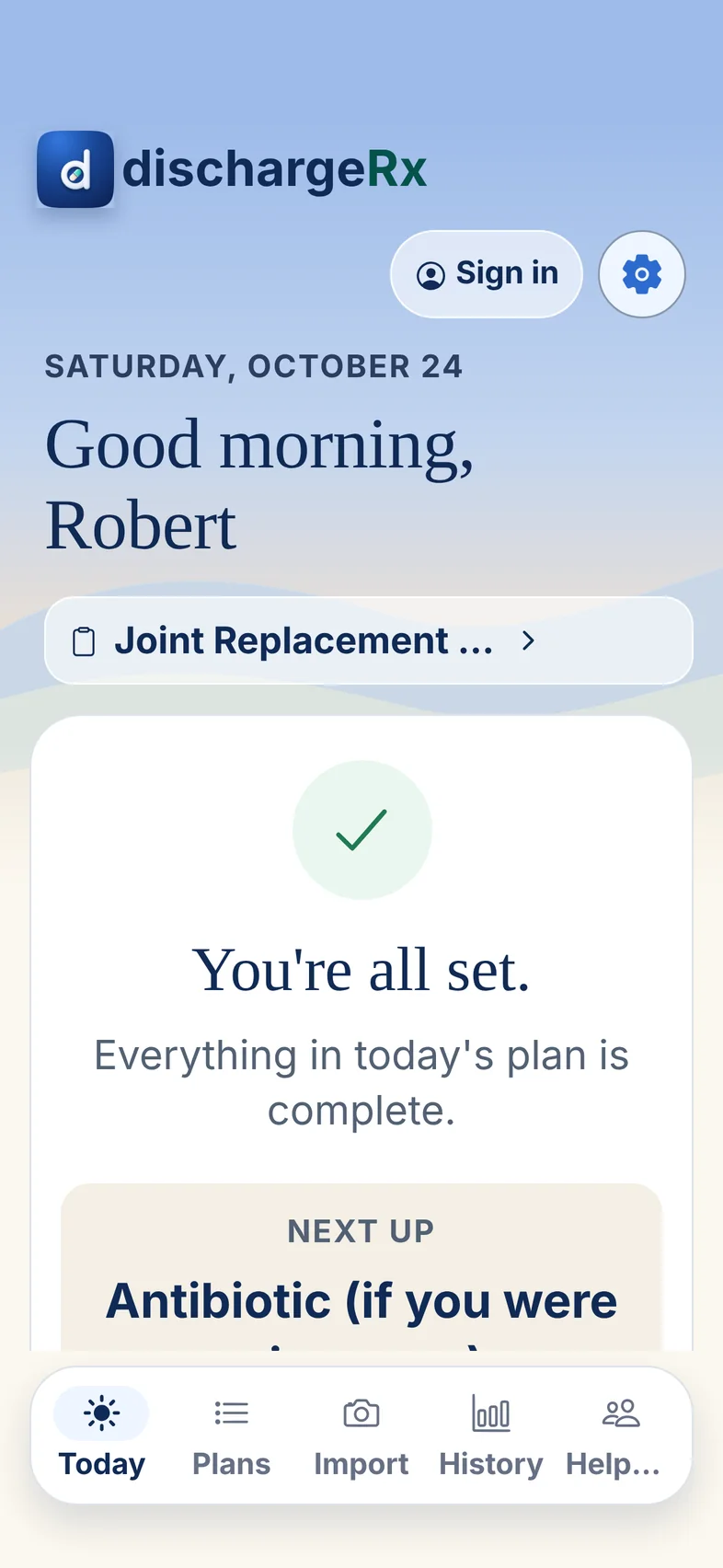
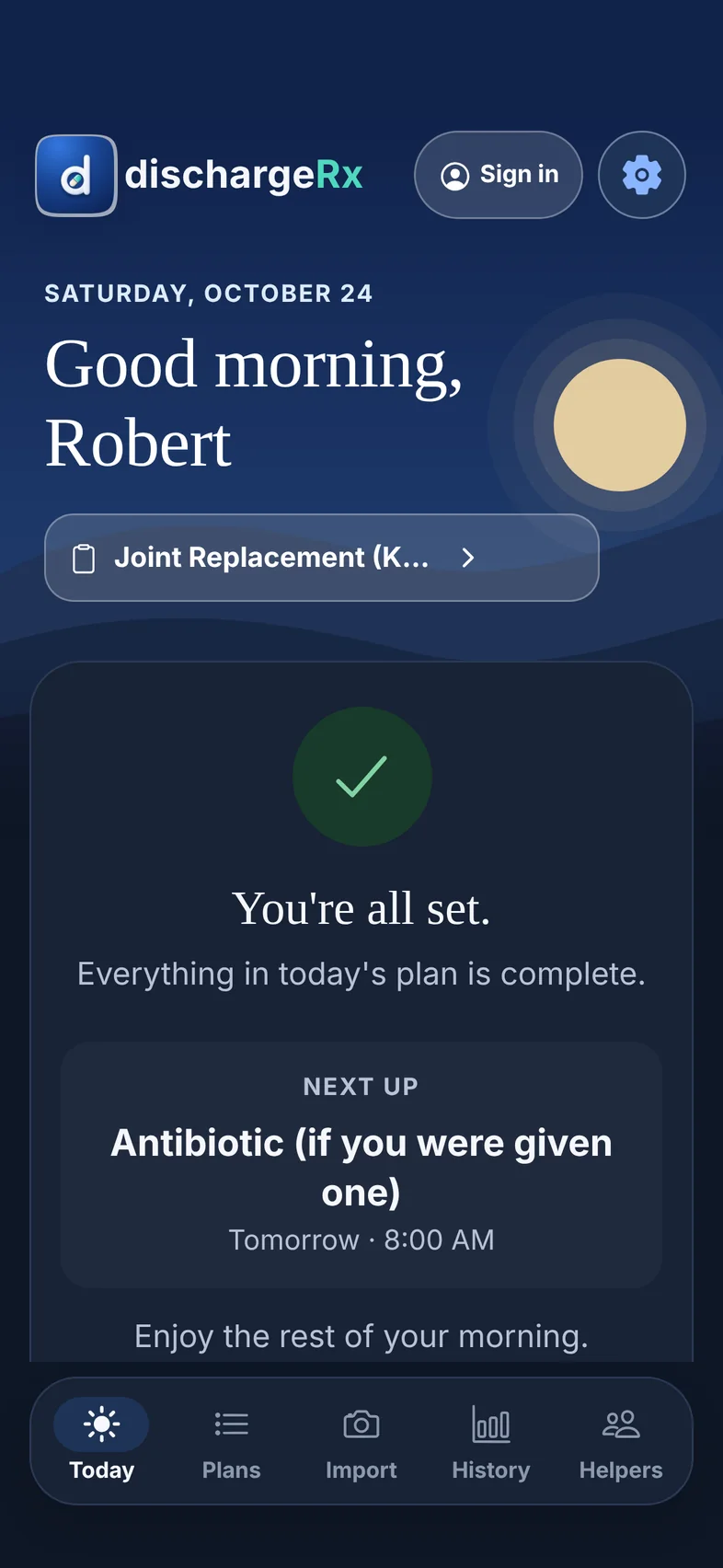
Between reminders, the Today screen shows one thing: the next step, when it’s due, and a large button to mark it done. Above it, a plain sentence says how the day is going. This morning it reads “You’re on track with today’s plan.”
10:42
Saturday 3:20 pm
A missed step waits for him. It isn’t scored.When you’re there, you can mark it for him.
Sixteen of 24 done, the next one at 5:00. If a step slips by, it stays on Today so he can catch up, and the app describes the day in words instead of a percentage.
You come by and settle the ice pack. Robert has let you complete steps, so you mark it done from your own phone, and his day stays accurate whoever pressed the button.
3:20
Saturday 9:48 pm
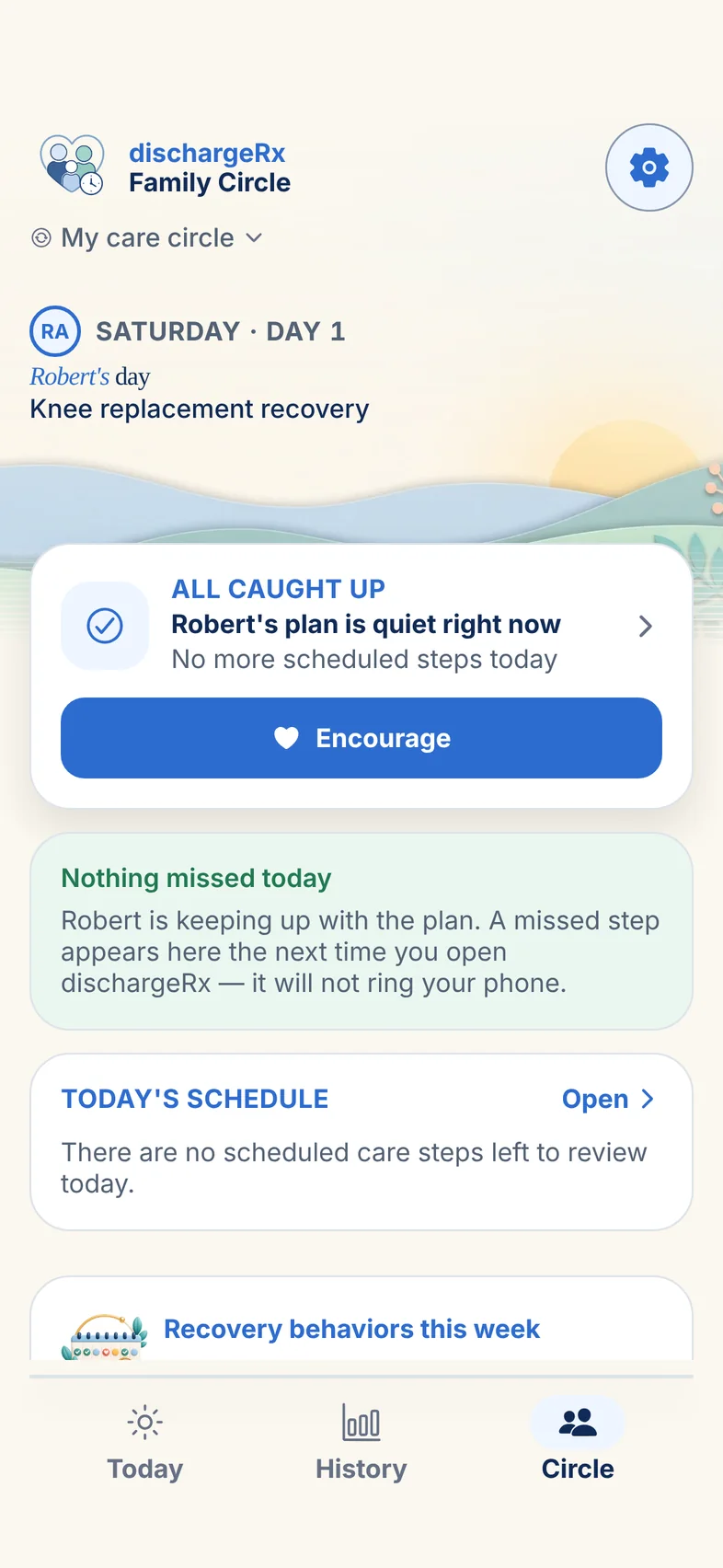
“You’re all set.”“All caught up.”
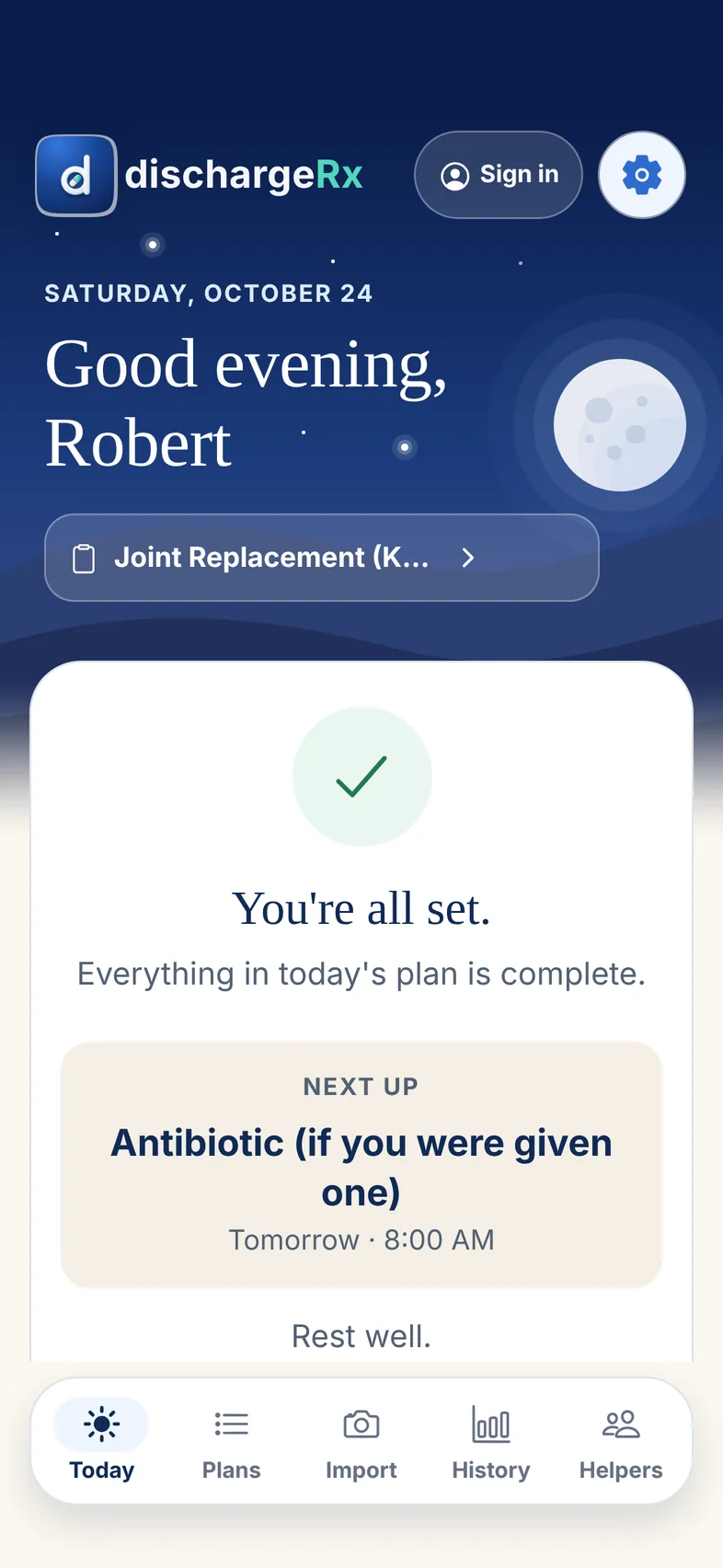
When every step is done, Today says so and shows the first one for tomorrow at 8:00 am. There’s nothing left to keep in his head overnight.
Before bed you open dischargeRx: nothing was missed today. If something had been, it would be waiting here the next time you looked. The app won’t ring your phone about it, and it says so on the screen.
9:48
Tuesday, Nov 3 Day 11
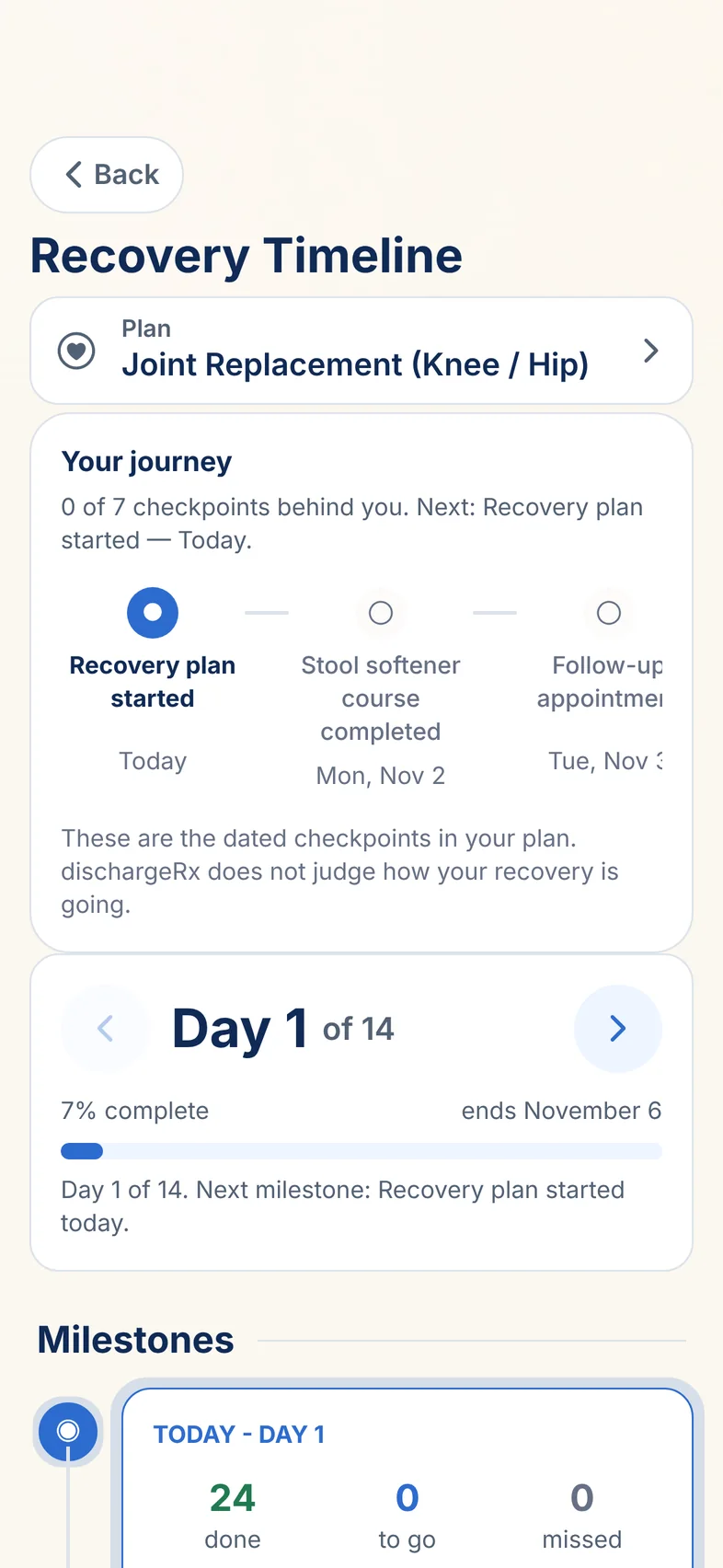
The follow-up appointment.
The recovery timeline lists the dates from his own plan, so the appointment didn’t sneak up on anyone. History holds eleven days of what was done, and the doctor-visit report turns it into a PDF to show his surgeon.
Premium. The timeline and the doctor-visit report are part of Premium. Everything earlier in this story is free.
10:05
7:15
Real app screens. Robert’s plan is a test plan.
For family and caregivers · free
Help without hovering.
Sarah doesn’t need to call at lunch to ask whether her father took his tablets. She opens the app and sees how his day is going, as far as he has chosen to share it.
Joined with a code
The person being helped sends an invite. The helper types the code, or scans it when they’re in the same room.
Chosen person by person
See the plan, see a missed step, get a daily summary, complete steps, add care notes. Each one is a separate choice, and any helper can be paused.
Free for everyone in the circle
Inviting and connecting helpers costs nothing, on the free plan or Premium.
11:20
Not only after surgery
Some routines don’t have an end date.
Twelve templates cover care that keeps going, like high blood pressure, type 2 diabetes, asthma or a thyroid condition. They have no finish line and no countdown, and the app doesn’t talk about recovery. Monitoring steps say what to record, never what the number should be.
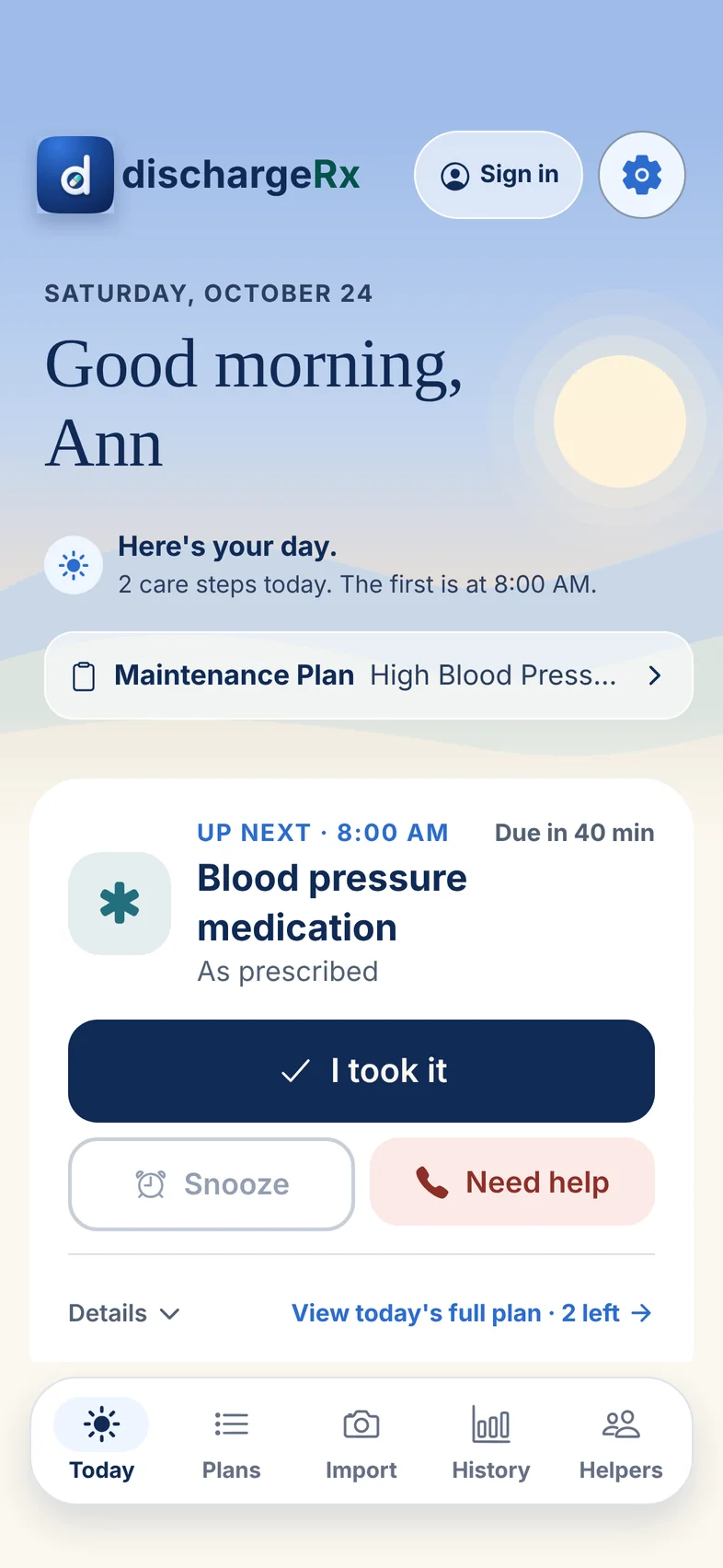
This is Ann’s Today, on a plan for high blood pressure: “Here’s your day,” not a countdown. A recovery plan and an ongoing one can sit side by side, and more than one active plan is part of Premium.
7:20
Made for a hard day
Larger when you need it. Darker at night.
Text can be up to 30% larger, on top of your phone’s own setting. There’s a dark appearance, reduced motion, and reminders that can be spoken aloud. Every status comes with words, not only a colour.
10:42
Extra-large text
10:42
Dark appearance
Pricing
Free for one plan. Premium when there’s more to keep track of.
Free
$0
One active plan, with every reminder
Today, and a history of what was done
Your whole care circle, with what each person sees
One document read into a draft plan
Reminders never switch off because you didn’t pay.
Premium
$4.99 a month or$49.99 a year
More than one active plan at a time
Read papers and prescription labels whenever you get new ones
Refill countdowns that say when to reorder
A doctor-visit report as a PDF
The recovery timeline
One subscription covers everyone in the circle, and someone else in it can pay from their own phone.
Prices in US dollars. Outside the US, your store shows the price in your currency before you confirm. Premium renews until you cancel it in your App Store or Google Play account.
What dischargeRx is not.
Not your doctor
It holds the instructions you were given and reminds you of them. It doesn’t diagnose, prescribe or recommend treatment.
Not an emergency service
In a medical emergency, call your local emergency number.
Not a medical record
History shows what was marked in the app. It isn’t a verified account of care.
Not selling your details
Your plan works on your phone without an account. Nothing is sold or used for advertising, and the app has no third-party analytics. Privacy policy
Questions people ask.
I’m not good with apps. Is it hard to use?
Most of the time you only need the Today screen: the next step and a large button to mark it done. Text can be made larger and reminders can be read aloud. Setting up the plan takes the most care, and it’s easier with someone beside you.
Is it only for surgery?
No. There are 38 recovery templates for after procedures and hospital stays, and 12 for ongoing routines with no end date. You can also build a plan from scratch.
Will it tell me which medicine to take?
No. It holds the instructions your care team gave you. Templates leave every medicine as “As prescribed” until you enter your own, and nothing is scheduled until you confirm the plan.
Can I help my mother from another city?
Yes, once she invites you and you join with the code. You’ll see whatever she has allowed when you open the app. You won’t get push notifications, so agree how you’ll check in.
Does my family have to pay?
No. Helpers are free. If you choose Premium, one subscription covers everyone in the circle.
What if my phone is on silent?
That depends on the phone. dischargeRx checks its notification permission and settings, shows a banner when reminders can’t reach you as set, and explains how to fix it.
What happens to my information?
It stays on your phone unless you turn on backup or connect helpers. It’s never sold or used for advertising. You can export or erase it from Settings.
Tonight, the papers. Tomorrow, one step at a time.
dischargeRx is not in the App Store or Google Play yet. This page will link straight to the store on the day it’s published.